An applicant tracking system, or ATS, helps employers collect, sort, and search job applications. Learning how to optimize your resume for ATS does not mean tricking software. It means making your resume easy to read for both machines and people. Follow these six steps and you will have a resume that is clear, searchable, and honest.
What ATS software actually does
ATS platforms store your application, extract details from your resume such as job titles, dates, and skills, and let recruiters search and filter candidates. Some also ask screening questions about work authorization or required certifications. Different systems read files differently, and nobody can promise a specific result. So the goal is to remove obstacles: keep the file simple, use recognizable labels, and include the language the employer uses.
Step 1: Choose a simple, readable format
Use a single-column layout with a standard font such as Arial, Calibri, or Times New Roman. Save your file as a .docx or a text-based PDF unless the employer asks for something else. Avoid text boxes, tables used for layout, images of text, and important details placed in headers or footers. A quick test: if you cannot select the text in your file with your cursor, software may not be able to read it either.
Step 2: Use standard section headings
Label your sections with familiar names: Summary, Experience, Education, Skills, and Certifications. Creative titles such as "My Journey" can confuse parsers and slow down human readers. Put your name, email, phone number, and city in the main body of the page, and list jobs in reverse chronological order, with the job title, company, and dates on clear lines.
Step 3: Mirror the language of the job posting
Read the job description and highlight the skills, tools, and responsibilities that appear more than once. Then compare them with your resume. If you have used Google Analytics and the posting says "Google Analytics," write it that way instead of "web data tools." When both are common, include the full name and the acronym, for example "search engine optimization (SEO)."
Only include terms that truly describe your experience. Keyword stuffing, hidden white text, and skills you do not have can get your application rejected and hurt your reputation. If you want a fast comparison, the Job Match Analyzer checks your resume against a posting and lists missing keywords.
Once you know your keywords, place them where they carry the most weight. Your job titles, your summary, and your most recent bullet points are the natural homes for the terms the employer repeats. Spread them out instead of clustering them in one paragraph. For example, if the posting stresses "customer retention," mention it in your summary, show it in a bullet about a project you led, and list a related tool in your skills section. This gives both software and people several honest signals that you match.
Step 4: Write bullet points that show results
Each bullet should answer two questions: what did you do, and what changed because of it? A helpful formula is action verb, plus task, plus result.
Before: Responsible for social media accounts.
After: Managed three social media accounts and grew Instagram followers by [add number] through a weekly content calendar.
Use a real figure wherever you have one: time saved, money earned, customers served, or errors reduced. If you do not have exact numbers, describe scale honestly, such as "for a team of 12" or "across 40 orders a week." Aim for three to five bullets for each recent role, and fewer for older ones.
Step 5: Add a focused skills section
List hard skills such as tools, methods, languages, and certifications in a short skills section, grouped by category if that helps. Put the most relevant skills first. Then use the same skills inside your experience bullets, because context shows how you applied them. A skill that appears only in a list is weaker evidence than one that appears next to a result.
Step 6: Proofread and test your resume
Check spelling, dates, and consistency. Then copy the text of your resume into a plain text editor. Is the order logical? Are the headings intact? Does anything look garbled? If so, simplify the formatting.
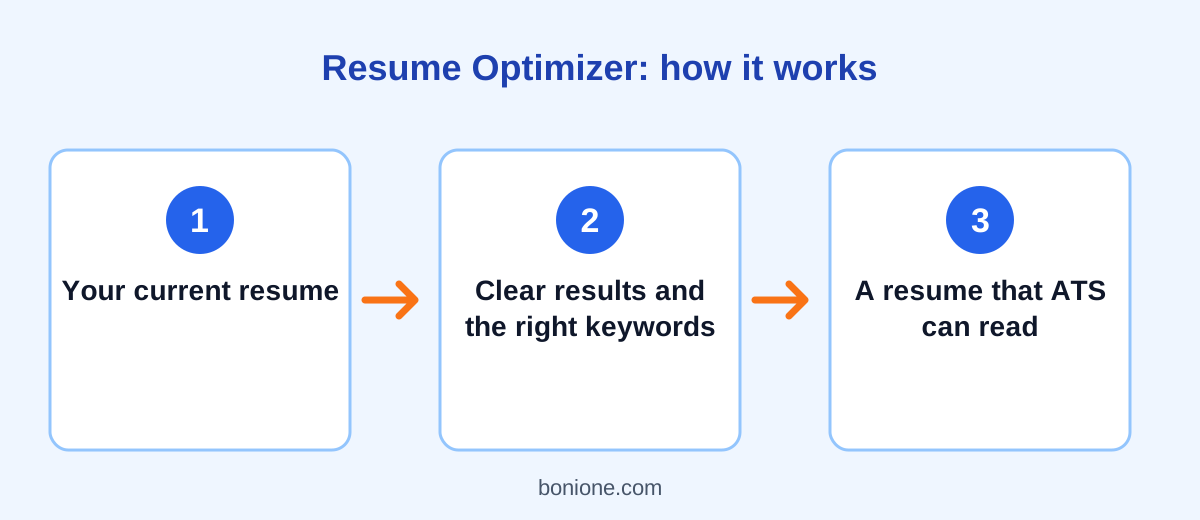
Finally, get a second opinion. Paste your resume into the free Resume Optimizer for ranked fixes and rewritten bullet points, then ask a friend in your field to read the final version. Fresh eyes catch what you have stopped seeing.
Common ATS mistakes to avoid
- Sending the same generic resume to every job.
- Using icons, graphics, or skill bars to show your level.
- Leaving out dates or using vague job titles.
- Repeating keywords without any context.
- Uploading a file with an unclear name. Use something like "Firstname-Lastname-Resume."
Finally, keep your master resume up to date so that tailoring is quick. When you finish a project or learn a new tool, add it right away while the details are fresh, rather than trying to remember it months later when a job posting appears.
Frequently asked questions
Do all companies use an ATS?
Many mid-size and large employers do, while small companies may simply use email or a shared spreadsheet. Because you often cannot tell, a clean, keyword-aware resume is a safe choice everywhere.
Is a PDF or a Word file better?
Follow the instructions in the job posting. If there are none, a .docx file is generally the safest option, and a text-based PDF is usually fine. Avoid scanned or image-only PDFs.
How long should my resume be?
One page is a good target early in your career. Two pages is normal with more experience. Relevance matters more than length, so cut anything that does not support the job you want.
Final thoughts
Optimizing your resume for ATS comes down to clarity: a simple format, familiar headings, the employer's own keywords, and bullet points that prove your value. Do these six things and your resume will work for software and for the person who reads it next. Remember that no formatting trick replaces real, relevant experience described well, so spend most of your time on the content and only a little on the layout. Want to understand why this pays off? Read why you need an AI resume optimizer, then try the tool on your own resume.