Most job seekers spend hours polishing the design of their resume and almost no time checking what it actually says. That is a problem, because the first reader of your application is often software, and the second is a recruiter who may spend less than a minute deciding whether to keep reading. An AI resume optimizer helps you with both readers. In this article you will learn what these tools do, why they matter, where they fall short, and how to use one without losing your own voice.
What is an AI resume optimizer?
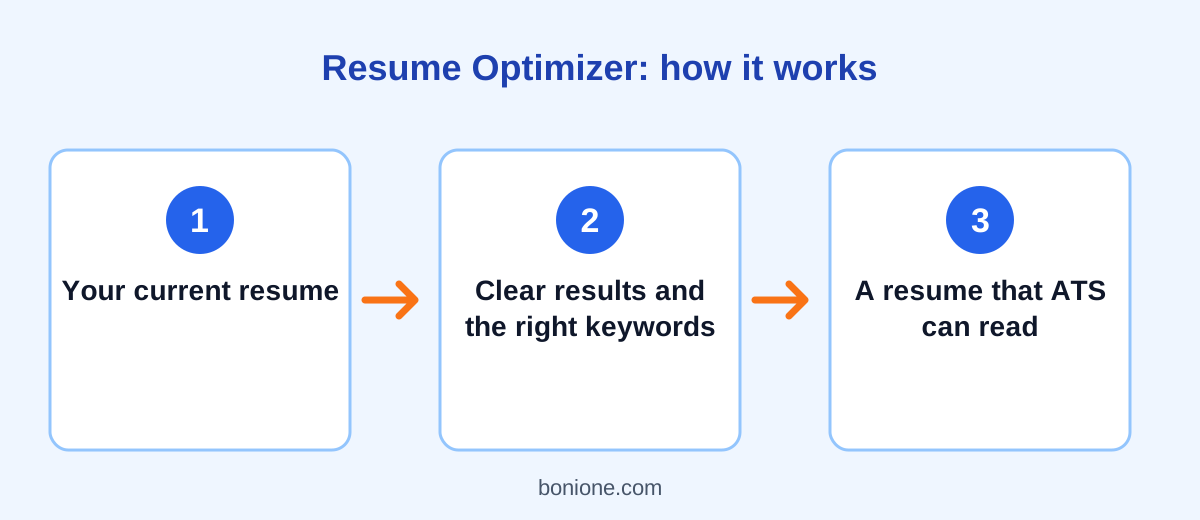
An AI resume optimizer is a tool that reads your resume, and often the job description you are targeting, then points out weaknesses and suggests better wording. Instead of giving you a generic checklist, it responds to your actual text. It can flag a bullet point that describes a duty rather than a result, notice that a skill from the job posting is missing, or suggest a clearer summary at the top of the page.
Think of it as a fast first editor. It will not replace a mentor who knows your industry, but it is available at any hour, it is patient, and it gives you something concrete to react to. Our free Resume Optimizer works this way: you paste your resume, add the job description if you have one, and receive ranked fixes, rewritten bullet points, and keywords worth considering.
Why a good-looking resume is not enough
Many companies use an applicant tracking system, usually shortened to ATS, to collect and organize applications. Recruiters can search these systems by keyword, filter by requirements, and sort candidates. The details differ from one company to another, and nobody outside the software vendor can promise exactly how a given system will treat your file. What you can rely on is the principle: if the words a recruiter searches for never appear in your resume, you are harder to find.
The human reader matters just as much. A recruiter scanning many resumes looks for quick evidence that you can do the job: relevant titles, clear achievements, and skills that match the posting. A dense paragraph full of general phrases such as "hard-working" and "responsible for many tasks" gives them nothing to hold on to.
A resume optimizer is useful because it reviews your document through both lenses at once. It asks whether a machine can read the document and whether a person would be convinced by it.
Five problems an AI resume optimizer can fix
1. Duties instead of results
"Responsible for customer emails" tells the reader what your job was. It does not say whether you were good at it. An optimizer nudges you toward outcomes: what improved, by how much, and how you did it. If you have not provided a number, a good tool leaves a placeholder such as [add number] so you can fill in the real figure rather than inventing one.
2. Missing keywords
Job postings repeat certain skills and tools. If you have used a tool but never wrote its name, a reader searching for it will not find you. The optimizer compares your resume with the posting and lists relevant terms to add, but only where they honestly describe your experience.
3. Weak or repeated verbs
Starting six bullets with "Helped" or "Worked on" makes your experience feel smaller than it was. Precise verbs such as "led," "built," "reduced," or "negotiated" communicate ownership.
4. A summary that says nothing
Lines like "motivated professional seeking a challenging role" appear on thousands of resumes. A better summary names your field, your strongest skills, and the kind of role you want, in two or three lines.
5. Inconsistent structure
Mixed date formats, uneven bullet lengths, and unclear section titles make a resume harder to scan. Consistency is easy for software to detect and easy for you to fix once it has been pointed out.
What an AI resume optimizer cannot do
It helps to be realistic. An optimizer cannot know your career better than you do, and it cannot guarantee that you will pass a particular screening system or land an interview. It can also make mistakes, such as suggesting a keyword that does not fit or producing a rewrite that sounds slightly generic.
Most importantly, it must never put untrue claims into your resume. Exaggerated titles, invented numbers, and skills you do not have can be discovered in an interview or a background check, and they damage trust. Treat every suggestion as a draft. Keep what is accurate, change what is not, and add your own details.
How to get the most from an AI resume optimizer
- Paste your resume as plain text so nothing is lost in formatting.
- Include the job description for each application. Tailored feedback beats generic feedback.
- Work one section at a time if the result feels overwhelming.
- Replace every placeholder with a real number, or remove the claim.
- Read the final version aloud. If a sentence sounds like something you would never say, rewrite it.
- Keep one master resume and create a tailored copy for each job.
Common questions
Is an AI resume optimizer safe to use?
Check how the tool handles your data. On Bonione, we do not save what you paste; it is sent to an AI service only to create your result. As a general rule, avoid including ID numbers, your full home address, or passwords in any online tool.
Should I use one tool or several?
One good pass is usually enough. Running many tools and mixing their advice tends to produce a confusing document. Optimize once, edit carefully, and then ask a real person to read it.
Will optimizing make my resume look like everyone else's?
Not if you keep your own examples and voice. Use the tool to find gaps and clearer wording, not to replace your story.
Final thoughts
A resume has one job: to earn a conversation. An AI resume optimizer helps you get there by catching problems that are easy to miss in your own writing, such as vague bullets, missing keywords, and a weak summary. Use it as a fast, honest editor, verify every suggestion, and keep your resume truthful.
Ready to try it? Open the free Resume Optimizer and paste your resume. Then read our step-by-step guide on how to optimize your resume for ATS to go deeper.