You can have the right skills and a strong resume and still lose an opportunity in the interview room. Nerves, rambling answers, and unprepared stories cost many good candidates the job. The good news is that interviewing is a skill, and like any skill it improves with practice. An AI interview simulator gives you a place to practice at any time, get feedback right away, and make your mistakes where they cost you nothing. This article explains why that matters and how to use one well.
Why interviews feel harder than they should
Most of us rarely talk about our own achievements out loud. In daily work we do the job and move on. In an interview, you must explain what you did, why it mattered, and why it makes you the right choice, all in a couple of minutes and in front of a stranger. That is an unusual situation, and it is normal to feel nervous.
There is another reason interviews are hard: thinking and speaking are different skills. You may know exactly what you accomplished on a project, but organizing it into a clear story while someone waits for your answer is a different challenge. People who have practiced saying their answers aloud usually sound calmer and more organized, not because they are smarter, but because the words are no longer new.
What an AI interview simulator does
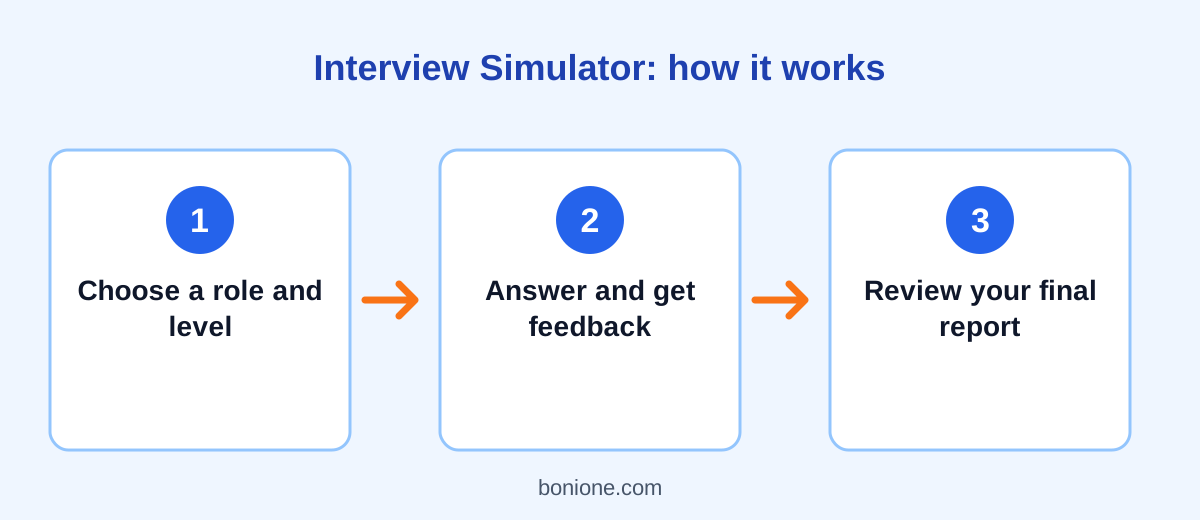
An AI interview simulator plays the role of the interviewer. You tell it the job title, your experience level, and the type of questions you want, such as behavioral, technical, or a mix. It then asks one question at a time. After each answer, you receive short feedback and the next question. When you finish, you can ask for a full report on your strengths and weak spots.
Our free Interview Simulator works exactly like this. It needs no account, and you can answer in the language you prefer.
Five benefits of practicing with a simulator
1. Low-pressure repetition
Nothing is at stake in a practice session. You can give a poor answer, notice it, and try again. That freedom is valuable, because confidence comes from having already survived the difficult questions.
2. Feedback right after each answer
Practicing alone in the mirror shows you very little. A simulator points out specific problems, such as an answer with no result, a story that never reaches the point, or a claim that needs an example. Feedback delivered while the answer is fresh is much easier to use.
3. Questions matched to your role
A sales candidate and a software developer face very different interviews. Because you describe your target role, the questions can be relevant to the job instead of generic. That means less wasted time on questions you will never be asked.
4. Practice whenever you have time
Friends and mentors are not always available at nine in the evening. A simulator is. Even ten minutes before a big day can help you warm up, and short regular sessions build fluency better than one long session the night before.
5. A clear view of your weak spots
After a session, patterns appear. Maybe you always forget to describe the result, or you use "we" so often that your own contribution disappears. Seeing those habits is the first step to changing them.
What a simulator cannot replace
It is important to be realistic. A simulator does not read your body language, it does not know the culture of a particular company, and no two real interviewers behave the same way. It can also give feedback that is too general on some answers. Treat it as one part of your preparation, not all of it.
Pair it with other steps: research the company, review the job description, and, if you can, practice once with a friend or mentor who can watch how you speak and sit. Those human details are difficult for any tool to judge.
How to practice effectively
- Choose the exact job title you are applying for, and be honest about your level.
- Answer out loud first, then type a short version of what you said.
- Use the STAR method for behavioral questions: situation, task, action, result. Our guide on how to answer common interview questions explains it step by step.
- Keep answers to about one or two minutes.
- Do at least five to eight questions before ending the session, so the final report has enough to work with.
- Write down two changes to make, and run another session to test them.
After each session, spend five minutes reviewing what happened. Which answer felt strongest, and why? Which question made you hesitate? Copy the feedback into a notebook and turn it into a short to-do list, such as "add a result to my teamwork story" or "shorten my introduction." Over a few sessions you will see your answers become more focused, and you will start to recognize the structure behind the questions instead of feeling surprised by them. That growing familiarity is what makes you sound relaxed on the day.
Common questions
Is practicing with AI better than practicing with a person?
They do different jobs. A person gives you human reactions and real-world tips, while a simulator gives you unlimited, on-demand repetition and structured feedback. Using both is ideal.
Will I get the same questions in the real interview?
Possibly some, but you should not memorize scripts. The goal is to become comfortable with common types of questions, so that you can adapt your stories to whatever you are asked.
Should I read my answers from the screen in a real interview?
No. Use the simulator to learn the structure of your stories, then tell them in your own natural words.
Final thoughts
Preparation is the most reliable way to reduce interview anxiety. An AI interview simulator gives you frequent, low-pressure practice, immediate feedback, and questions tailored to your role. It will not guarantee an offer, but it can help you walk in clearer, calmer, and better prepared.
Ready to try it? Start a session with the free Interview Simulator, and get your resume and letter ready too with the Resume Optimizer and Cover Letter Writer.